Community & Public
Powering Romania's Largest Youth Camp with Digital Innovation
How Life Value built a landing page and registration app for Traieste Altfel, a Romanian youth camp that gathers over 10,000 young people each year.


WMESync connects WinMentor Enterprise ERP to OLX, eMAG, and FAN Courier, syncing products, stock, and orders automatically from one CLI tool.


Companies running WinMentor Enterprise often keep their online stores up to date by hand. Someone copies products, prices, and stock levels from the ERP into each marketplace, then copies orders back the other way. It works until the catalog grows or a second sales channel is added, and then it stops working well.
The teams we spoke with kept hitting the same issues:
The result was lost time, oversells when stock ran out, and a ceiling on how much online business a team could realistically manage.

Life Value built WMESync, a command-line tool that connects WinMentor Enterprise to the marketplaces a business already sells on. It reads from the ERP, pushes the right data out to each channel, and pulls orders back in, all on a schedule the team controls. Because it is a single binary that runs on the client's own machines, the data never leaves their infrastructure.
What WMESync does:
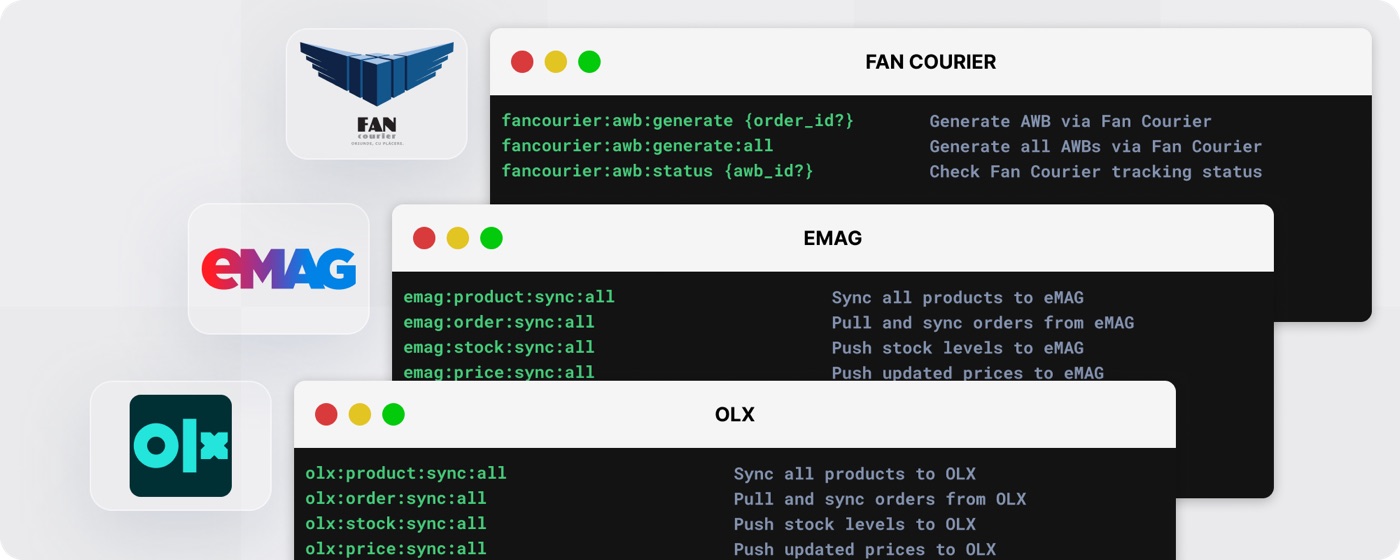
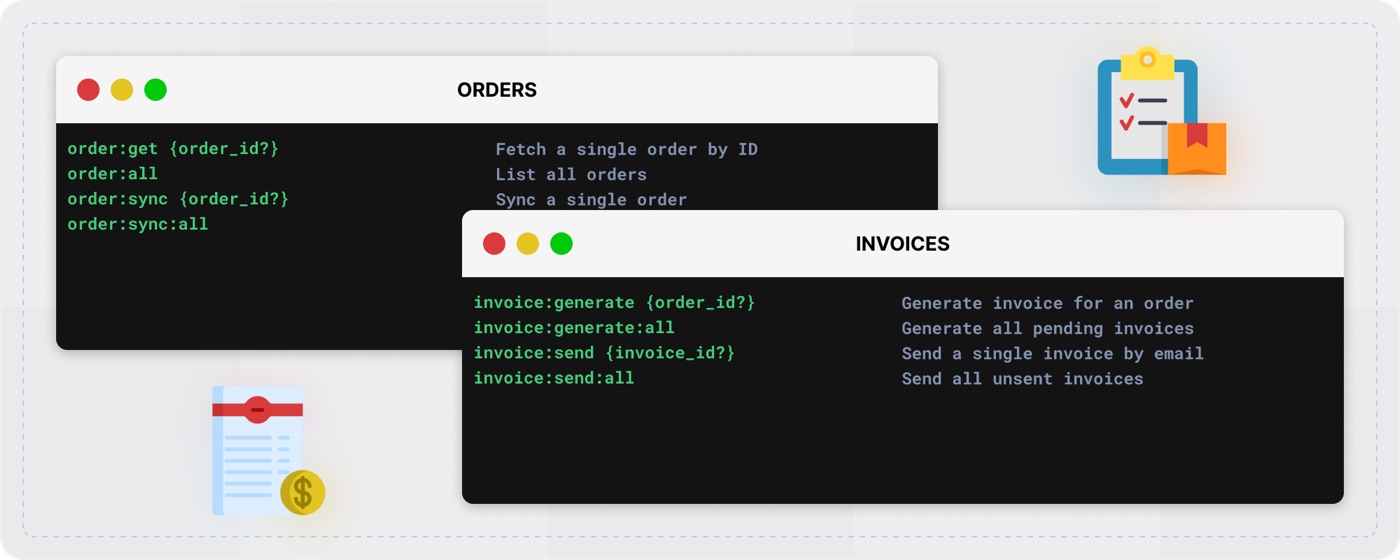
WMESync ships as a set of clear commands grouped by what they touch: products, stock, orders, and invoices. A team can fetch a single product by SKU, push the whole catalog, sync stock for one item or all of them, pull orders, and generate or send invoices. The same command set works across OLX, eMAG, and FAN Courier, so the people running the store learn one tool rather than one per marketplace.
WMESync runs on the client's own server, next to WinMentor Enterprise. It reads from the ERP, applies the field mappings set up for each channel, and talks to the marketplace and courier APIs over secure connections. Runs can be scheduled, so product, stock, and order data refresh on a cadence the business chooses without anyone watching the screen.
Which platforms does WMESync support?
It connects WinMentor Enterprise to OLX, eMAG, and FAN Courier, covering product listings, stock, orders, and shipping.
Where does the data live?
WMESync is deployed on-premise inside the client's own infrastructure, so product and order data stays under their control.
Does it work in both directions?
Yes. Catalog and stock data flow out to the stores, and orders flow back into the ERP, so both systems stay aligned.
Can it handle more than one sales channel?
Yes. The same command set drives every connected channel, so adding another marketplace does not mean learning a new tool.
WMESync gives WinMentor Enterprise users a practical way to run their online stores without retyping data all day. By moving products, stock, and orders automatically, keeping the data on the client's own systems, and using one command set across channels, Life Value helped these businesses save time, cut errors, and take on more online sales with confidence in their numbers.





See how forward-thinking hospitals, clinics, and startups are solving critical challenges with LifeValue — from speeding up delivery to enhancing compliance and unlocking new opportunities across care and operations.